
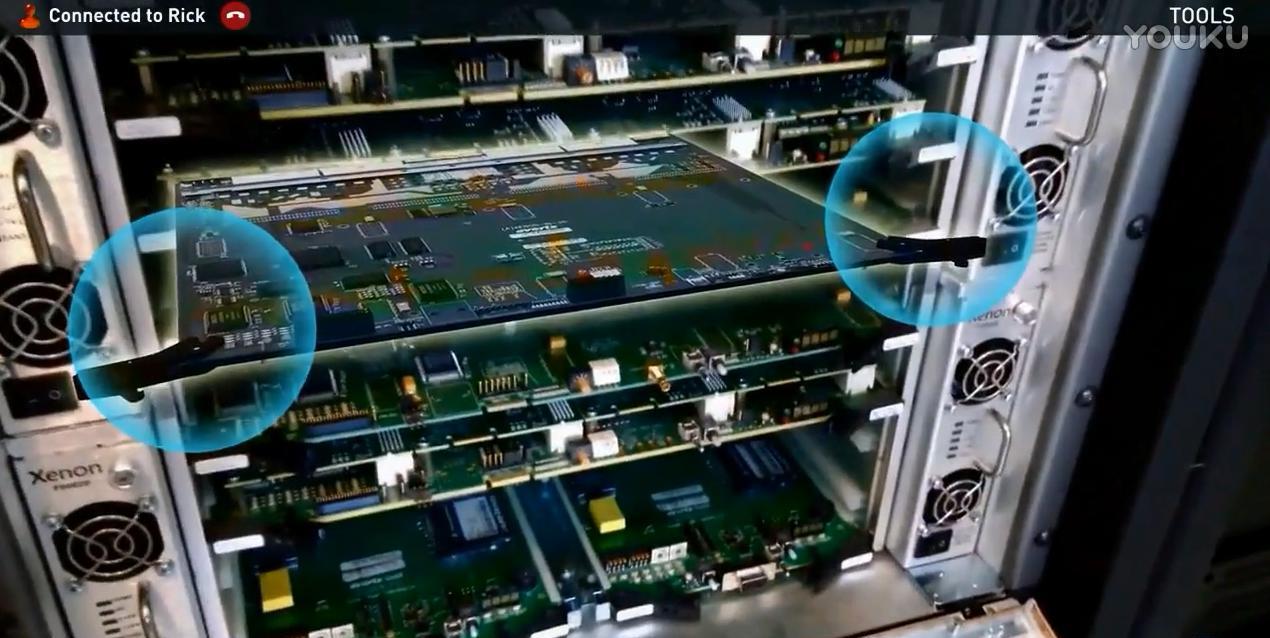
Project Background More and more complex machines enter the workplace, equipment maintenance and troubleshooting time, the workplace workers clearly have the ability to operate, but there are not so many experts around to guide, such problems often occur.If the expert is in the field or even abroad, the problem will be more serious, not only the waiting period is long, but also the business loss is large, and the extra high travel costs are also time-consuming and increase the cost of business. The AR remote guidance solution, which combines AR with remote communication technology, is specially designed to meet the above requirements, which can greatly improve the efficiency of technical guidance, shorten the guidance cycle, and save business costs.
Solution 1. Instant messaging Through the instant messaging technology, the worker can initiate a call request to the designated expert side, and the worker's shooting screen can be shared with the expert side through the network, and the voice communication can be carried out in real time, which is convenient and fast.
2. Manual annotation The expert end can manually mark the parts that need to be viewed or operated on the screen by performing actions such as ring selection on the screen by fingers during the process of watching the worker end picture. The worker end can also confirm the expert's dictated operating position to the expert in the same way.
3. Location Annotation The expert end can quickly select the indicator arrow in the tool to point to the exact position where the operation is required, and the worker end can see the position marked by the expert in real time to find the correct operation point.
4. Sequential Annotation When performing some operations that require a certain sequence and continuity, the correct sequence of operations can be marked at one time, so that workers do not have to ask repeatedly during operations.
5. Text Annotation When some key operations or some operation details need to be paid special attention to, the expert side can choose preset text labels or enter text by itself, and the worker side can avoid misoperation according to the text prompts. 6. Physical Identification AR physical recognition can identify the spatial shape of the appearance of the physical equipment in the field, so that the AR content can be seamlessly connected with the physical content, and the virtual content can be correctly matched with the physical content to accurately demonstrate the virtual operation content.
7. Demonstration Demonstrate the animation of the operation in a virtual form, which is very visual and intuitive, and can be demonstrated repeatedly.Coupled with expert voice guidance, workers can easily complete the operation steps in the actual operation.
8. Observation at rest When the expert needs to observe a certain location carefully, the current display screen can be frozen and the details of the screen can be observed by themselves. The worker does not have to maintain a posture angle at this time, and the shooting angle can be restored after the expert's observation is completed.
9. Applicable terminals The worker side is suitable for the mobile phone and pad side of the iOS system, and the expert side is suitable for the PC side, pad side and mobile phone side.